Towards a (true) Dhivehi search engine

As much as I would like the Dhivehi language to die and rot away, it seems it won't happen, atleast for a while. The (relatively) newly minted freedom to publish newspapers and the growth of web-based news sites may have poised Dhivehi for a serious revival of the language. The revival probably isn't so much in terms of improvements in the vocabulary or other more linguistics related changes but rather a revival in terms of the amount of information now being pumped out in Dhivehi - and in my opinion, that's a great start.

A (if not THE) point worth noting here is that much of this new information is being produced - and published - by digital means. Most government authorities now have web portals and an increasing number of them maintain them diligently. Most, if not all, newspapers and magazines also seem to maintain web portals with their content being made available online on the web. This modern revival thus presents a very interesting and a very much modern set of problems (to geeks like me atleast :-P) :- accessing it. It is probably the first time in Maldivian history that a "dhivehi search engine" makes practical sense.

Now, I am aware that Google and other search engines can be used to search for Dhivehi and I'm also aware that there are a few local operations that purport/aspire to be Maldivian search engines but they all share important shortcomings. These shortcomings are mostly inherent to the various methods of writing Thaana as used on the World Wide Web.

Say you want to search for the word "rayyithunge". Typing that into a search engine would bring an entirely different set of results from typing in "rwacyituncge" or "ރައްޔިތުންގެ" - both of which are alternative forms of representing the same thing in Dhivehi. The different set of results arise because of the differences in the representation schemes used on the different sites. A search with the phrase "rayyithunge" would bring in results with pages that seem to mostly contain English and that's because "rayyithunge" is Dhivehi "Latin"ised into English so that we could use standard English characters to write Dhivehi words. People commonly use such Latinised Dhivehi when writing emails or chatting - say "haalu kihineththa" etc. Meanwhile, a search with the phrase "rwacyituncge" results in a listing of content from sites like Haveeru and Miadhu who use standard ASCII coupled with custom Dhivehi fonts with the characters mapped. If you try copy-pasting something written on the Haveeru page you'd see that it comes out as a seemingly meaningless jumble of letters. Lastly, a search with the phrase "ރައްޔިތުންގެ would bring in results from sites like Minivan Daily and Sangu Daily who use Unicode to display Dhivehi. Anyway, the technical explanations aside, the point is that Dhivehi search is (currently) a messy enterprise.

The solution to this problem can (seem to) be pretty simple. A custom search interface could be made to simply take the search query from a user and convert it into the three different representation schemes and then spawn search a search for each representation phrase on any of the existing search engines. This would work just fine... until you run into peculiar problems related to Latinised and ASCII Dhivehi schemes. Take for example the word "ފަލަ" Latinised into "fala" - a search on the word would result in almost entirely non-Dhivehi results totally unrelated to what we really want. Similarly, a search on the ASCII'ed phrase "Oled" (which is the word "ދެލޯ") would result in a large number of non-Dhivehi results with no bearing on what we wanted. These problems occur because Latinised and ASCII Dhivehi representations can result in text that have meaning in English as well - such as the case of "Oled" as above which happens to be a popular technical term in English.

A more sophisticated approach to the search problem probably could successfully iron out (most of) these quirks. An ideal solution would be to do away with the existing search engines such as Google, despite their awesomeness, and develop a custom search engine. A custom engine would allow for the recognition of the various representation schemes used and the subtle differences between them. A search phrase entered on such an engine would perhaps standardize the phrase and search through a standardized index to return results that are a better mirror of the Dhivehi content that is out there. Such a custom search engine could bundle in extra Dhivehi-related facilities such as conversions to allow for lack of (particular) fonts as used on sites and spelling correction among others.

So, perhaps the question now is, is there a real need for a Dhivehi search engine yet? When should a Maldivian "Google" be born?

Guide to using Dhivehi on the WWW

Developing web pages in Dhivehi is pretty easy and there are quite a few methods to do it. However, information on how to go about it seems to be lacking, leaving newbies stumped. Here is a general overview on the various methods for displaying Dhivehi on the WWW and should contain enough information to help anyone, designer or programmer, get started.

1. CSS: rtl + bidi-override
This method works on browsers supporting CSS and requires that browsers have the required Dhivehi fonts available to it.

Apply the following CSS settings to any tag or class to enable the target to be displayed in Dhivehi using standard non-unicode fonts. You cannot use this method for unicode text and doing so will result in less than optimal pages that will mess up in some browsers, including Firefox. Basically the CSS defined here works by setting the font face to the desired font, setting the text direction to right-to-left and finally setting the unicode bidirectional override to force (Unicode) algorithms to stick to the text direction we asked it to use.
font-family: Faruma;
direction: rtl;
unicode-bidi: bidi-override;

This maybe the easiest route to getting Dhivehi documents written using MS Word in non-unicode fonts (perhaps with Recorder with the popular custom macros for Dhivehi entry), Accent (Express), MLS and Faseyha Thaana on the web. Thus, it is no surprise that this is the most common approach taken: eg. Haveeru and Miadhu.


2. Unicode Dhivehi
This is the most straight forward and perhaps the best way to go about implementing Dhivehi on a web page as long as the text exists in Unicode. You have your text in Unicode if you have been relying on the Windows language bar to switch to Divehi before writing your text in MS Word 2003 and later. Web pages using Unicode Dhivehi should display just fine on all recent browsers.

To display Dhivehi in Unicode, first set the page charset to UTF-8 and then set text language to "div" for the entire page or specifically your desired tags as shown below.
<meta http-equiv="Content-Type" content="text/html; charset=utf-8" />
<div lang="div"></div>

This method is used in the online Radheef.


3. Image
This approach basically renders the Dhivehi text as an image. This is perhaps the most obvious and was the only method available early on. However, this method is still a pretty lucrative solution especially given that many computers just don't have the required fonts available. Using an image for the text rids the requirement on the client browser/computer to have the proper fonts available.

The basic approach of rendering the text into an image using Photoshop, MS Word etc is pretty tedious as the process is entirely manual. However, there is a more sophisticated approach that renders the text into Dhivehi on-the-fly on the web server side (perhaps coupled with caching to reduce load). A server-side scripting language such as PHP can be used to render text into an image using any font of choice by the designer/programmer. The rendered images (typically PNGs) are of very small size and hence have a negligible effect on the page load time in most cases.

Refer to the imagettftext function for details on how to do it in PHP.


4. Flash
This method uses text loaded in Macromedia Flash with the required font(s) being embedded in the Flash clip. ActionScript and/or Flash variables are used to load the text into text areas in the Flash file. This method has the advantage that it works whether the client computer/browser has Dhivehi font available or not but then again it does require the client to have Flash installed and enabled. If you are only seeking to have nice one-line headline sort of text in Dhivehi then you might consider using sIFR.

Refer to Font Embedding help page at Adobe LiveDocs for details on font embedding in Flash.


5. WEFT
Web Embedding Fonts Tools is a Internet Explorer only solution offered by Microsoft. It involves using

the Windows-only WEFT utility to create font "objects" that can then be placed on web pages. This method is not recommended unless the target only involves use of Internet Explorer.

Refer to Microsoft WEFT page for more information.


6. TrueDoc
TrueDoc is a solution offered by Bitstream Inc. It is a solution similar to Microsoft's WEFT in that TrueDoc solutions create a embeddable font resource called a Portable Font Resource. Any font (ie. Dhivehi font) can be loaded once users install a custom font "viewer" (called the Character Shape Player by the company). This solution is NOT free and requires the purchase of special software from BitStream to produce the custom embeddable font packages.

Refer to the TrueDoc site for more information.


Good luck ;-)

IETF: The twelve networking truths

Whether you are a network engineer, a technician or just use computers for the occasional game and porn, the Internet Engineering Task Force's RFC 1925 is a must read. The Network Working Group supposedly produced this indispensable memo to document a few things about networking that almost every networking and computer training course happily skips on.

- Check out IETF RFC 1925 ;-)

Multi-touch computing: simply amazing!

I was very excited when I first saw the multi-touch-screen technology demo by Jeff Hans on TED Talks earlier this year. Like Jeff said in his talk, it hinted at what new turns the standard human-computer interaction might take in the near future. A lot of different researchers and companies had been working on it for atleast a decade now but Jeff's demo was the first of its kind that I had seen that delivered such an impressive and seemingly feature-complete product. However, since it was just a technology demo I expected to be left to drool at this marvel till the technology is perfected and hit the market in a few years.

It really didn't occur to me that such products may hit the market as soon as this year. So, I was very surprised when Microsoft recently announced their Surface computing device for release in November! Their "Surface" product delivers the full multi-touch computing experience with an interaction surface area that of a coffee table. Apparently, it can track upto 52 touch points and can even recognize objects placed on it. The product essentially follows similar technology to what was demoed at TED Talks by Jeff. But what really astounded me was the technology demos that Microsoft and technology reviewers have published on the product. Microsoft seems to have done a lot of mock applications to show how the multi-surface interface can be used and exploited towards a radically fresh computing experience. This really is a case of seeing is believing (and being impressed) and requires a look at the demo videos.

Sadly though, with the product's supposed price tag of around US$ 5000, it really packs a blow to the wallet. The price will certainly go down as more multi-touch devices from other companies appear on the market. Apple has already incorporated multi-touch technology on their soon-to-be-released iPhone but will deliver the multi-touch experience at a smaller scale.

Check out the video below of Microsoft's Surface - there's more on YouTube. If anyone would like to give me a spontaneous gift for any reason, I surely wouldn't mind receiving one of these babies! ;-)

Web Operating Systems: a personal review...

There are Web OSes springing up on the internet left and right these days. The web operating system, in its broadest definition, includes everything from complete browser based operating-system-like environments to terminal access-like services. I've been keeping a keen eye on the developments, partly because I think it will become one the next big raves on the internet and partly because I find such a services quite useful.

The currently active Web OS services all have free sign up available or at least demo versions for try-outs. Here are a few I've jumped through:

Oos

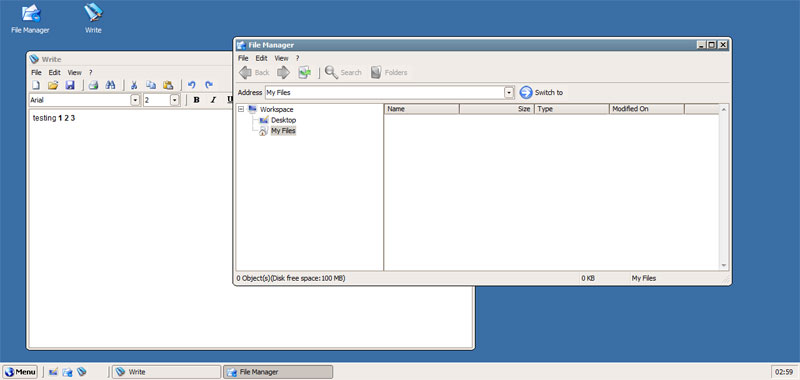
I quite liked the looks of Oos although I must say it is very very basic and very much incomplete for the moment. However, their interface loads fast, is clean and uncluttered. They've gone to lengths to copy the Windows looks and styles though and may not settle with die-hard users of other OSes.
- Oos homepage


EyeOS

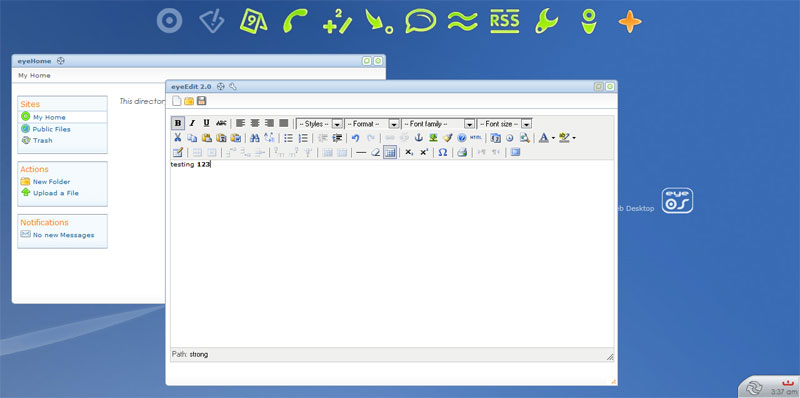
EyeOS is an open source project towards the development of a web operating system and has the source available for download, allowing you to install it on your own site or intranet. The basic package has office, PIM and some utilities bundled in the download. They have a separate website EyeApps where further "applications" for EyeOS can be found.
- EyeOS homepage


YouOS

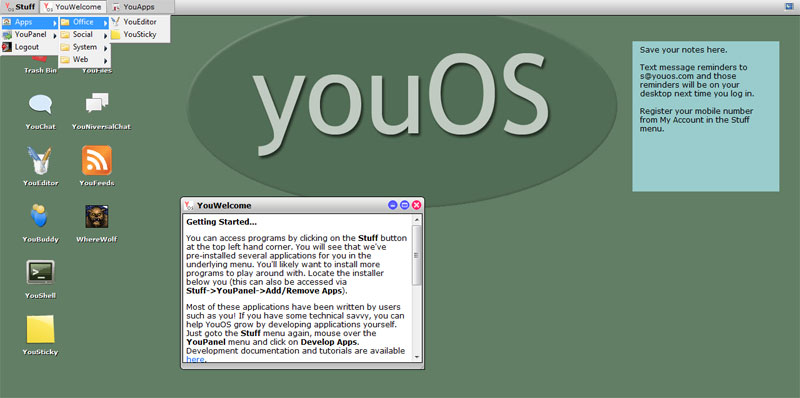
This is one of the more famous of the current bunch of WebOSes despite not being the best. There are a few applications available on it - a text editor, an instant messenger, notes app and a couple more utilities. The interface isn't too pleasing and the menu systems aren't that user friendly either. That said, it is quite usable though if all you want is the very basics.
YouOS homepage


AstraNOS

AstraNOS failed to impress me a single bit. The interface was ugly and cluttered and lacked any decent feature. Their approach seems to be more towards amalgamating existing independent web services and applications and provide links for those services. Seems like just another WebOS attempt which totally fails to hit any mark, in my humble opinion.
- AstraNOS homepage


Desktoptwo

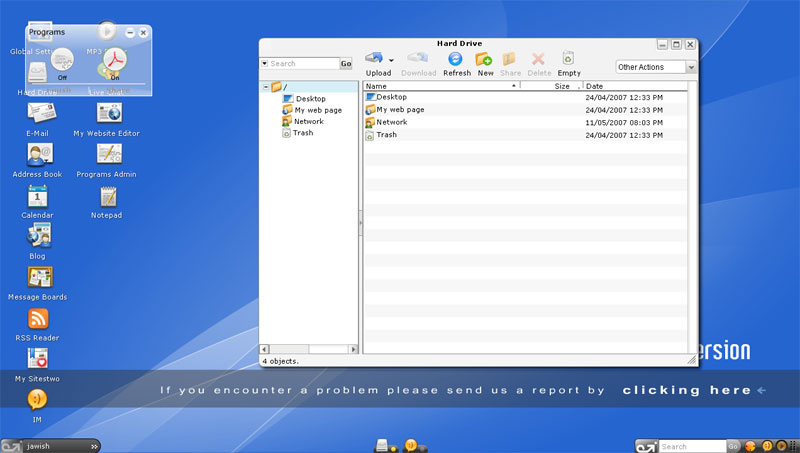
DesktopTwo is definitely one of the better web OSes around. There is a number of simpler web-based applications (e.g. an instant messenger, mail application, address book, mp3 player) available in addition to the full OpenOffice package and Acrobat Reader applications which seem to be instantiated separately via VNC connections. The interface uses Adobe Flash and is quite pretty and usable. They also offer 1GB of storage space for free to get started.
- Desktoptwo homepage


Fenestela

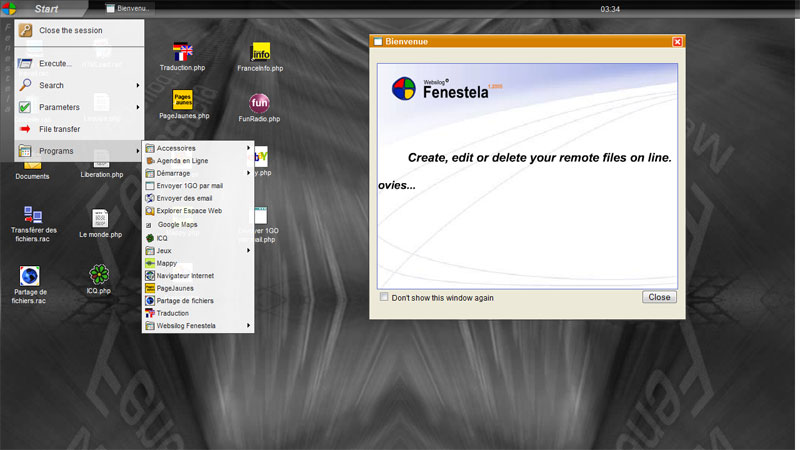
This WebOS is totally based on the Windows looks - Windows XP to be more exact. There are a few applications such as a HTML editor, a text editor and some utilities available already. This is a commercial product, although I can't really see why anyone would want to purchase this... Ahem.
- Fenestela homepage


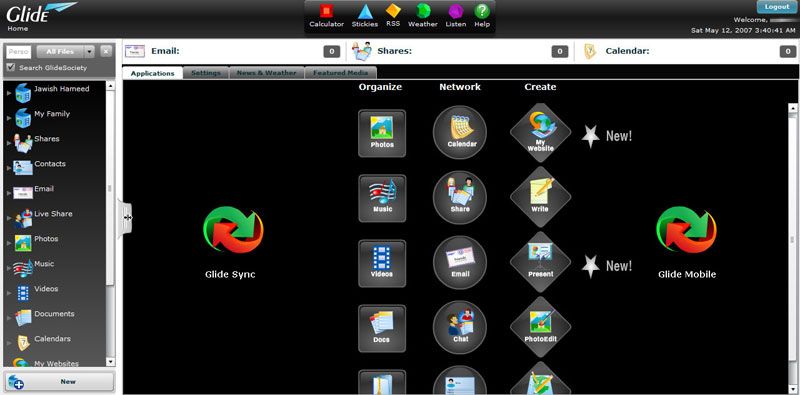
Glide

Glide is definitely one of the better and more feature rich WebOSes around. A text editor, music player, email, calendar, contacts and even a photo editor application are available. They also provide 2 GB of free storage space. I'd use this as soon as I get over my disgust for their appalling interface!
- Glide homepage


CorneliOS

An open source project that seems to be producing a quite impressive platform. It is a multi-user web OS software that is available for download and comes complete with user management, access control as well as a content management system. It maintains separate user directories and individual desktop environments. It is quite feature rich with office applications, calender, development applications and has a number of settings for controlling the operations and looks of the desktop environment.
- CorneliOS homepage


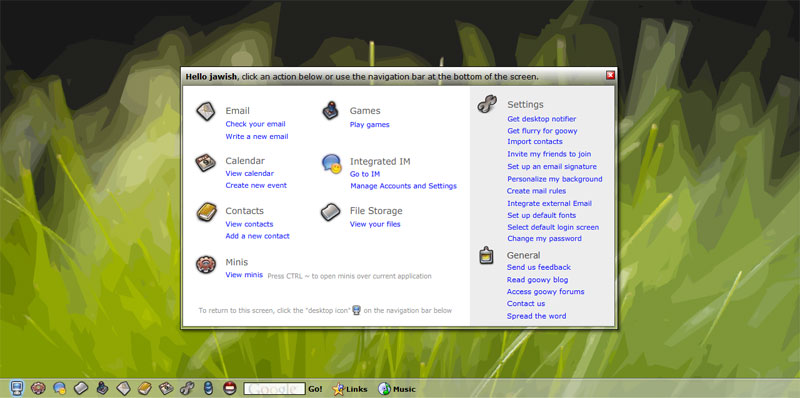
Goowy

Goowy is far from being gooey and sports a pretty and very nifty interface. At the moment is has instant messenger, email, calendar, contacts and files management features available. Sadly, it is missing an office package which I reckon should be essential to any web OS. They have a feature called minis, which are basically widgets/gadgets that perform little utility tasks or as information displays. Goowy makes itself less lucrative thanks to the lack of the office package and may well be gooey for now feature-wise.
- Goowy homepage


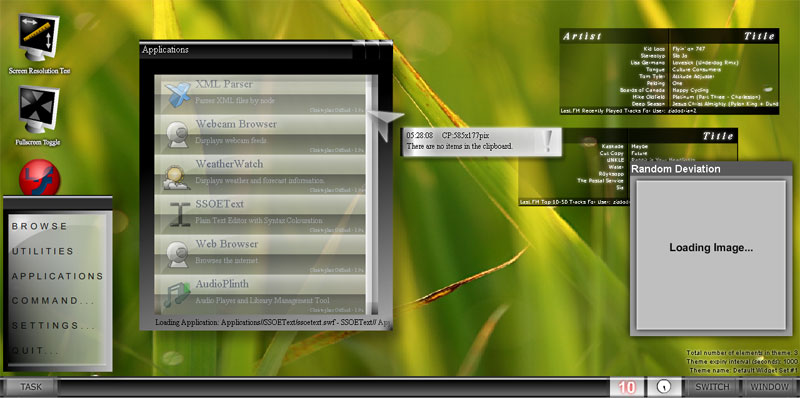
SSOE

One of the worst Web OSes I've come across! It's done in all Adobe Flash, extremely slow and buggy. Nuff said.
- SSOE homepage


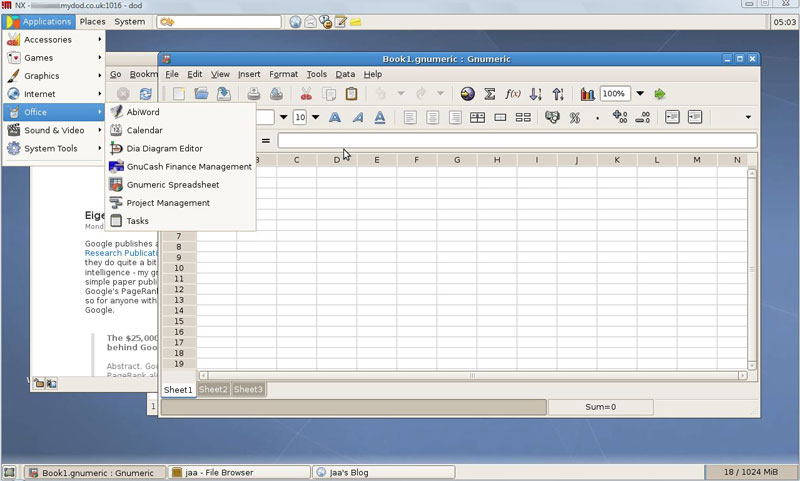
DesktopOnDemand

DoD takes a different approach to a web OS in that theirs is not browser based but rather provides a remote terminal access to a hosted OS environment - one based on Linux and Gnome. Personally, I think this is the best approach to go for creating a Web OS as browser based OSes can be notoriously slow and makes the mistake of relying on the stateless (and inherently vulnerable) HTTP protocol for communications.

The DoD approach provides access to the OS via any NX client and has the option of using a browser based Java plugin as well. They provide 1 GB of free storage and the data can be accessed without entering the OS by using their web based file manager. NX technology uses compression on its data communications and achieves surprising performance. The DoD desktop was as fast as, if not faster than, using any of the browser based web OSes listed above, atleast on my broadband connection. DoD also benefits from NX's use of SSH encryption for data communications making it a very safe way to browse. It won't leave any discernible logs, can't be sniffed/tapped easily and you can store data and browse/chat without leaving any traces behind on the computers that are used to access it. These are great plus points when considering using a practical web OS that is can be accessed from anywhere and is safe.

There is a useful set of applications available as well: office apps, GIMP, instant messenger, browser, video/music player etc. This is my favourite for now and I reckon many others will like this one - especially the Linux fans!
- DesktopOnDemand homepage


CosmoPOD

CosmoPOD takes the same approach as DesktopOnDemand by providing remote terminal access to a KDE-based Linux desktop. CosmoPOD provides a lot more applications bundled in with their service: there is the complete OpenOffice package, IRC/IM clients, mail/newsgroup readers, project/money management software, web development package, a programming IDE, raster/vector graphics editors and a bunch of the usual KDE utilities as well. This alone makes this one of the most desirable web/online OS services around!

CosmoPOD also provides 1 GB free storage and an online browser based file manager that can be accessed without using the NX client.

Sad thing is the free offering is annoyingly slow and also shows advertising banners on the desktop. They do offer the option of switching to a premium service that gives fast access, more applications and control.
- CosmoPOD homepage

Enjoy :-)